 ProfitNod
Your ROAS, next to your line.
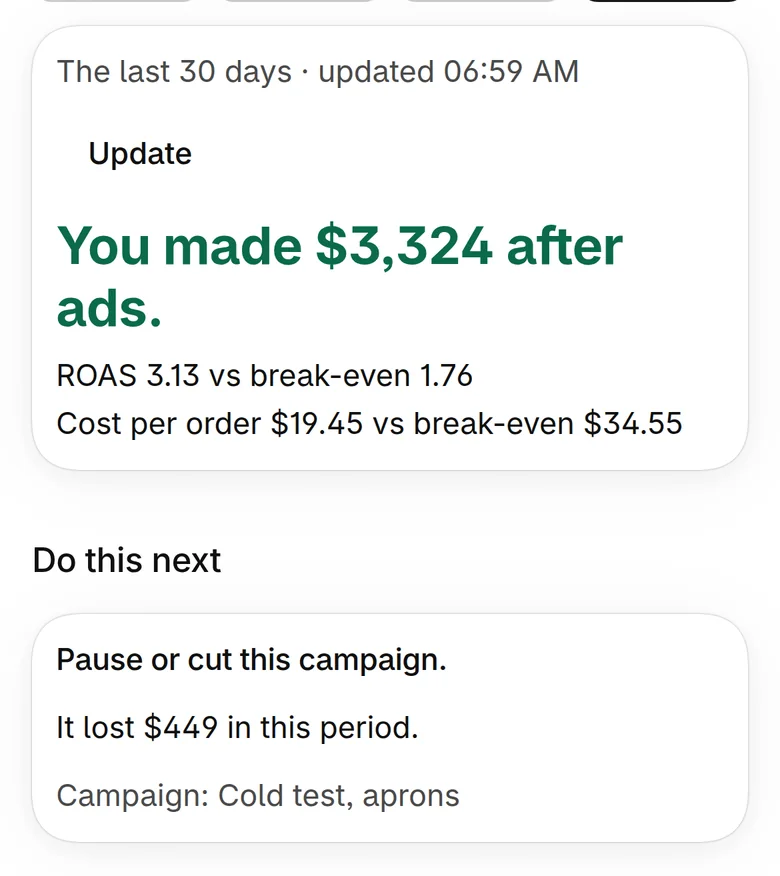
The first screen shows four numbers: profit after ads, your ROAS, your break-even ROAS, and the most an order can cost in ads. Then the one thing to do next.
NewFor Shopify store owners
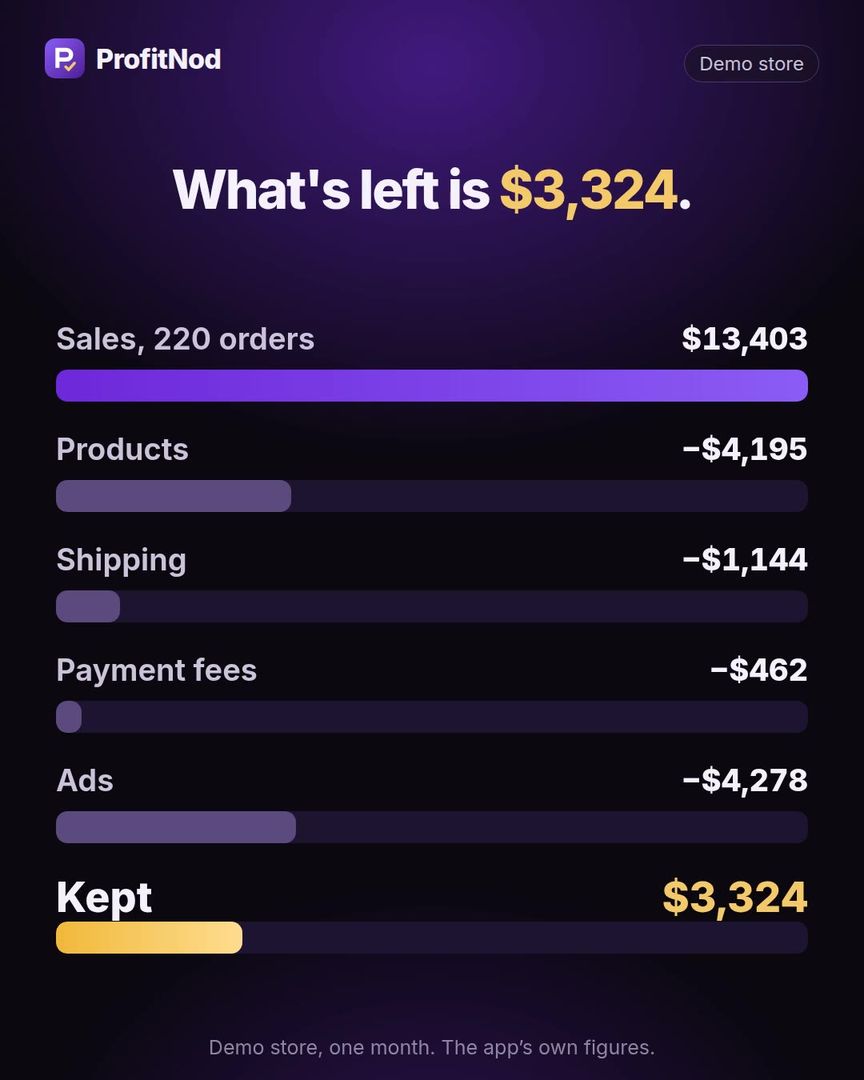
ProfitNod takes every order and subtracts what it really cost: the product, the shipping, the payment fee, the ads. You see what’s left inside Shopify, without waiting for month-end. No spreadsheet that’s always one cost behind.
1 min · sound on
One month
Here is where the rest went.
Figures from the app on our demo store, a made-up shop. Your split will differ. That is the point.
The problem
A profit number you don’t trust is a number you can’t act on.
In their own words
“I feel like I’m always missing something and my “profit” numbers never feel accurate.”A store owner on the Shopify Community, February 2026 · source
“I might do a P&L at month-end, but I’ve already spent 3-4 weeks on a bad campaign or a low-margin SKU.”A store owner on the Shopify Community, July 2026 · source
“I might know Meta spent $500 and brought in $1,500 in revenue, but that doesn’t tell me much if half the orders were low-margin products, heavily discounted bundles, or items with higher shipping costs.”A store owner on the Shopify Community, July 2026 · source
Public posts. They describe the problem. These people are not ProfitNod users.
The idea
ProfitNod reads each order from your store: what was charged, what was refunded, the payment fee. It subtracts the product’s cost and what the order cost to ship, then your ad spend.
What’s left is what you kept. It also finds your line: the break-even ROAS, the point where an order stops paying for its ads.
Try it yourself
Type one typical order. See what it keeps after costs and ads before you leave this page.
Your break-even ROAS
1.77
The most you can pay in ads for this order
$33.96
At ROAS 3.1 this order keeps $14.61 after ads.
Tell me when I can run this on my ordersOne typical order hides discounts, refunds and products with different margins. ProfitNod works the same number out from every real order.
How it works
No ad-account login. ProfitNod never touches your Meta, Google or TikTok account: you type one spend number, paste rows, or let your AI send it.
Real screens
Real screens from the app. The numbers are our demo store’s, a made-up shop.
The first screen shows four numbers: profit after ads, your ROAS, your break-even ROAS, and the most an order can cost in ads. Then the one thing to do next.
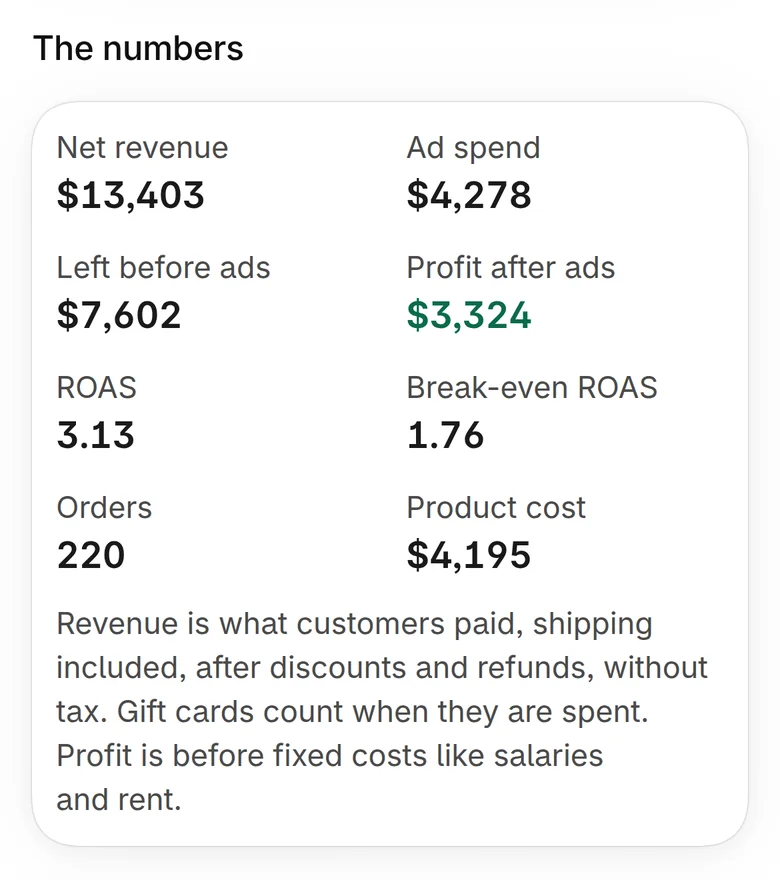
Net revenue, ad spend, what’s left before ads, profit after ads, product cost. Nothing hidden behind a total.
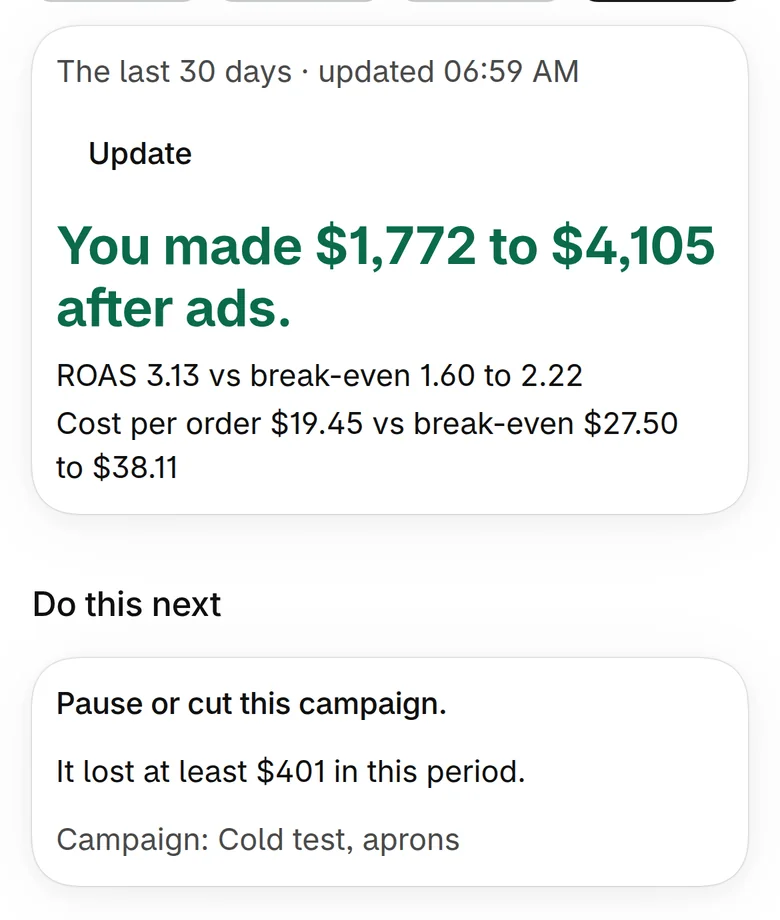
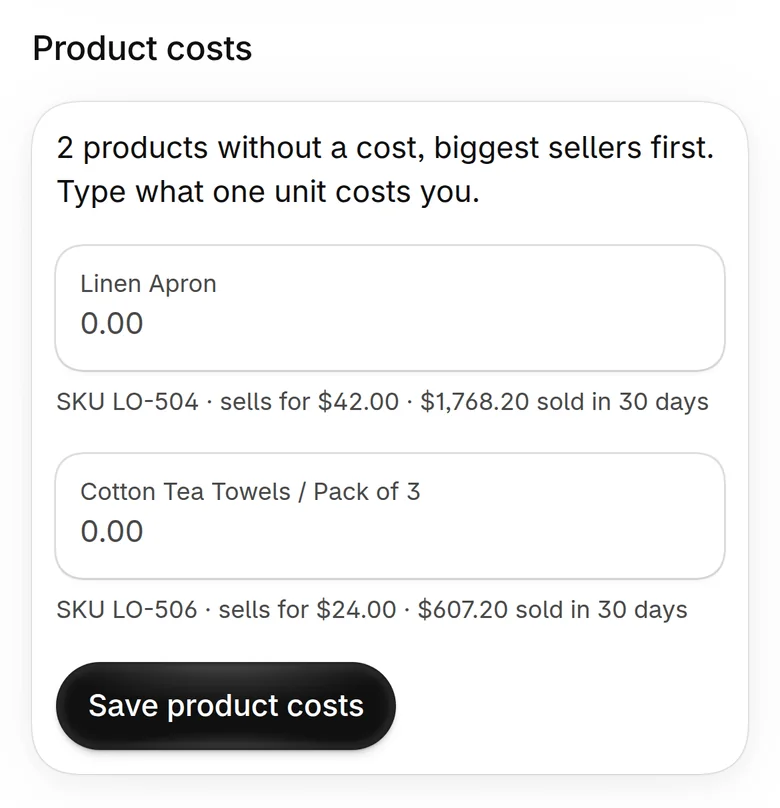
Two products had no cost, so the app says “$1,772 to $4,105 after ads” and names them. Type the two costs and the range closes to one number.
Products without a cost are listed biggest sellers first. Type what one unit costs you and every number sharpens the same minute.
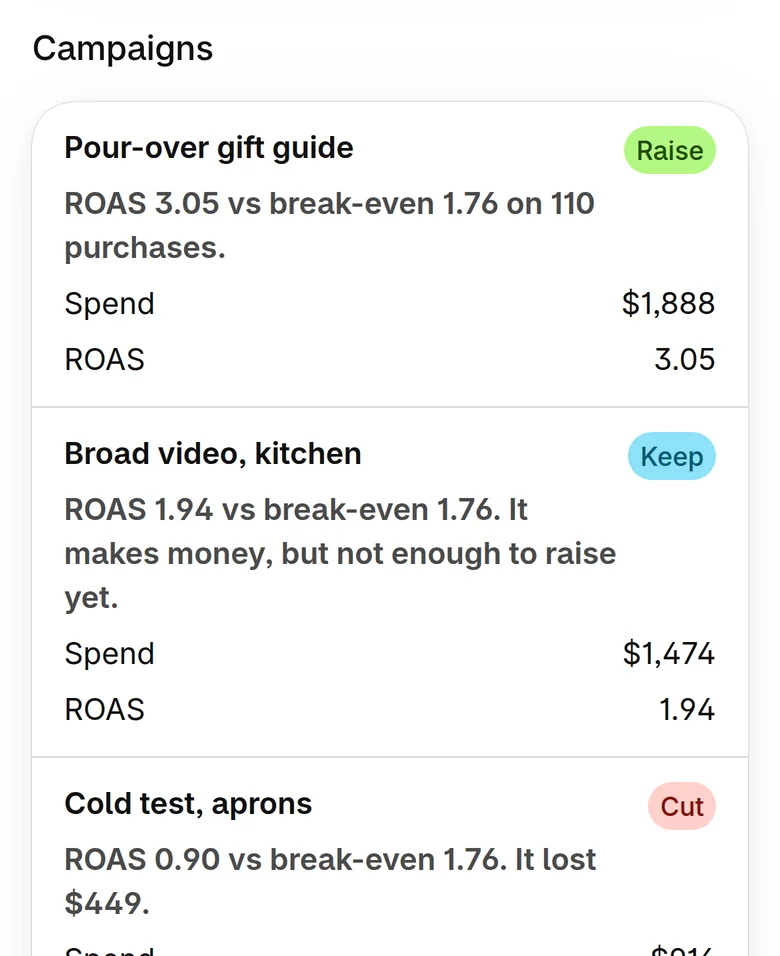
Raise, keep or cut, with the reason next to it. Pour-over gift guide at 3.05: raise. Cold test, aprons at 0.90: it lost $449, cut.
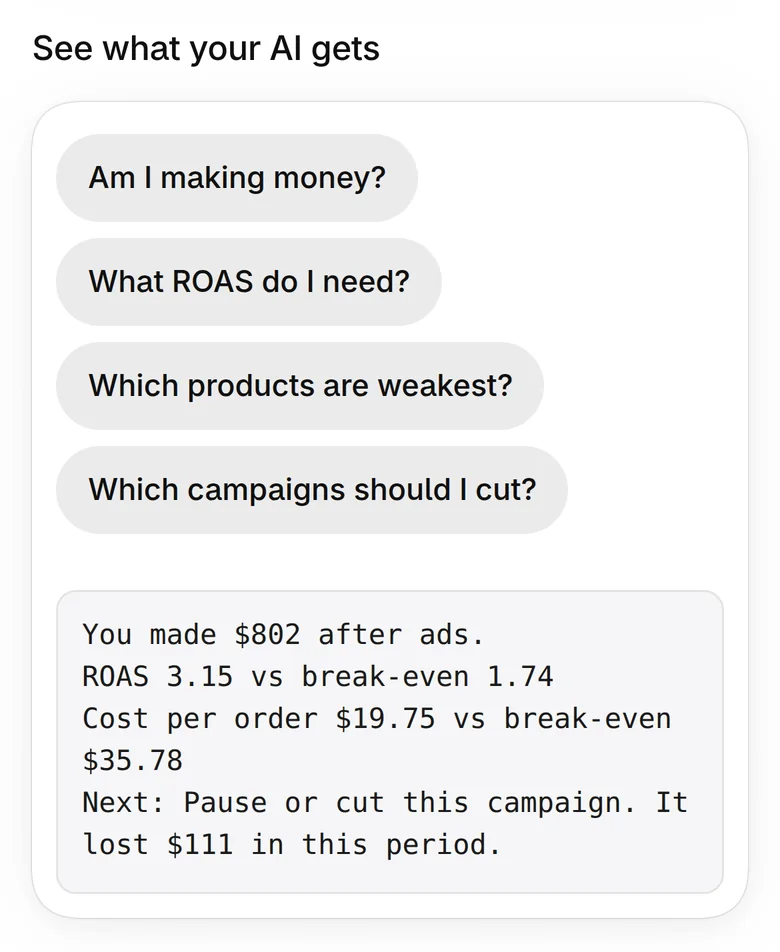
Optional. Connect Claude with one link and it gets the same numbers you see on the screen. ChatGPT and Cursor connect through the same standard. The app shows you what your AI will get before you connect anything.
No reviews yet. Here is what we checked.
ProfitNod is new, so there are no customer reviews to show you. What we can show is how we tested it.
The honest split
Start with one rough number, like “my products cost me about 30% of the price”. You get a full answer marked About. Then type the cost of your three biggest sellers and it sharpens.
Record spend for any channel, as one total or pasted rows. Your line comes from your Shopify orders, not from one ad platform.
Keep it, and compare the two once. On our test store every figure matched a hand calculation to the cent. If yours disagree, one of them is missing a cost.
ProfitNod never reads a customer’s name, email, phone or address, and never touches your ad account. In your store it only reads, until you approve a change yourself. Uninstall and access ends at once.
You don’t need to. Everything is on the screen inside Shopify. The AI connection is there if you want it.
The price
$0
Forever. No card.
$19 a month
14-day free trial.
$49 a month
14-day free trial.
That is the $49 plan, with nothing to pay. When the 60 days end you stay on Free or pick a plan. Nothing bills without your choice, and paid plans go through your Shopify bill.
No leap of faith
Your first ten minutes, once your store can install it:
Not for you? Uninstall in two taps. Access ends at once and your store’s numbers are deleted.
Not yet: the app is not on the Shopify App Store yet. Leave your email and you get one message the day your store can install it. No newsletter.
You type one total, paste rows per campaign, or your AI sends it. There is no one-click sync with Meta, Google or TikTok yet.
The last 60 days of orders, refunds and payment fees. It works in the Shopify admin and in the Shopify mobile app.
Fixed costs like salaries and rent. Profit here is after products, shipping, payment fees and ad spend.
No. You install it like any Shopify app and everything is on the screen.
ProfitNod reads order totals, line items, product costs and payment fees. It is not sold, not used for advertising and not used to train AI. Uninstall and it is deleted.
P.S. Don’t know every product cost? Type one rough percentage. You get a full answer marked About, and it sharpens as you fill in your biggest sellers.